
Radar
Nearby-car position, left and right proximity, closing speed, torpedo warnings, blue flags, incidents, and finish position.
Open Beta
iRacing
Configurable race awareness and adaptive GripSense feedback for iRacing.
Configurable Windows Overlay
Radar watches the traffic. GripSense helps you read the car.
Lynx-Vector combines two movable, resizable driver tools in one Windows application.
Set the widgets where they fit your cockpit, lock the layout, and let Vector adapt as you drive.
The first public laps are here🏁
— SignalLynx (@SignalLynx) July 23, 2026
Lynx Vector is one configurable iRacing app with two driver tools:
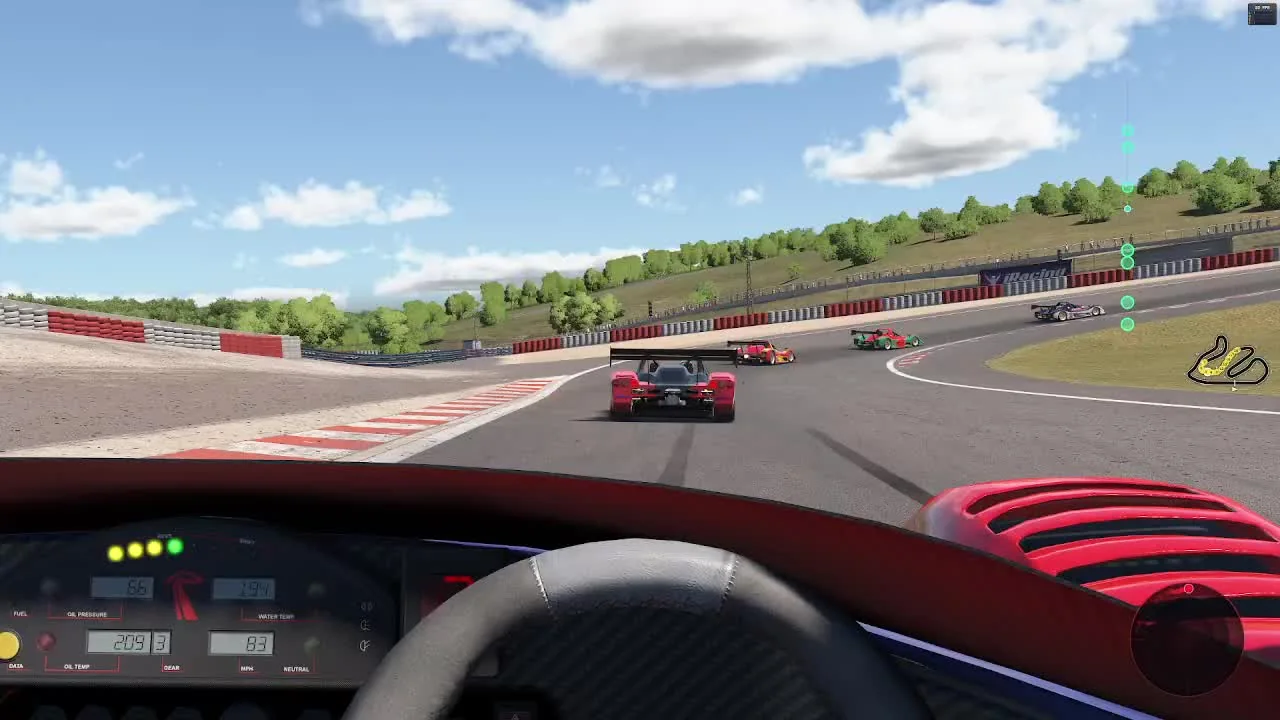
Radar: Watches nearby traffic and closing speed
GripSense: Shows live vehicle balance and developing loss of control https://t.co/0yG9zZVvw7 #iRacing #SimRacing #LynxVector pic.twitter.com/Jn18w3zZoB
Video hosted by X. Click play for the full 91-second demo with sound.
The regular one-time price is $6. Apply the promotion code at Stripe Checkout to reduce the order to $0 and unlock the current build in your Arsenal.
Promotion Code
Scheduled through February 1, 2027
Two Tools. One Application.
Radar and GripSense are complementary. One helps you read the race around you. The other helps you understand what the car is doing underneath you.
Nearby-car position, left and right proximity, closing speed, torpedo warnings, blue flags, incidents, and finish position.
Adaptive live vehicle-balance feedback for braking load, acceleration, understeer, oversteer, wheelspin, lockup, and developing loss of control.
Your Cockpit. Your Layout.
Move and resize each overlay independently. Keep them high, low, wide, compact, or out of the way until the information matters.
Race Awareness
Know What Is Developing Around You.
Radar goes beyond a basic left-or-right indicator. It watches nearby traffic, overlap, closing speed, and developing trouble.
The goal is more time to make a clean, predictable decision before the other driver reaches your door.
Racer Translation
The car arriving from another zip code with too much closing speed, too little braking plan, and your door number on it.
Vector watches the arrival rate and warns when another driver seems to be treating the braking zone as more of a suggestion.
Adaptive Vehicle Balance
See Where You Are Smooth. See Where You Are Asking Too Much.
GripSense turns the car's longitudinal and lateral behavior into a live visual reference.
It helps you recognize braking load, acceleration, understeer, oversteer, wheelspin, lockup, and a developing loss of control.
The adaptive friction engine learns as you drive. You do not need to maintain a separate profile for every car.
GripSense is a telemetry-derived estimator. It does not directly measure tire force or guarantee how much grip remains.
Developing Loss of Control
Lynx-Vector monitors for abrupt changes in vehicle balance that may indicate a developing loss of control. When the event crosses the warning threshold, it displays a clear SAVE IT alert through the Radar banner messaging while there may still be time to catch the car.
The warning logic adapts with the learner and selected driving mode, helping surface the moments that matter without interrupting every normal slide or correction.
Race Context
Optional quips and simple race-state calls add context without turning every lap into a lecture.
Optional Refinement
The included Lynx-Vector SimHub plugin enhances the experience.
The Advanced GripSense Traction Engine works directly from iRacing telemetry.
Radar and GripSense do not require SimHub.
For the best experience, the installation package includes the Lynx-Vector SimHub plugin. When SimHub is available, it can add extra supported signals and improve the overall feel, fidelity, and refinement of the feedback.
Core Operation
Radar and GripSense operate from the iRacing signals already available to Lynx-Vector.
Additional Refinement
Optional, but recommended when you want the most refined Radar and GripSense experience.
The questions most iRacing drivers will ask before the Open Beta.
Need more answers? Check out the full FAQ
The regular one-time price is $6. Apply the promotion code at Stripe Checkout to reduce the order to $0 and unlock the current build in your Arsenal.